NABTECH SITE BUILDER
One Page
₹ 188.04
Plan essentials
- Pages1
- E-Commerce Productsn/a
Start with a design you love. Shape the pages, tell your story and bring your business online with Nabtech Site Builder.
Give your next idea the right space. Explore the plans, compare the details and choose the tools for the website you want to create.
With the Open Trial, you can try Site Builder and fully build your new website for FREE with no upfront costs.
Pay nothing until you're ready to publish!
A strong starting point, whichever plan you choose.
| Plan features | One Page | Unlimited | Store | Store Plus | Store Premium |
|---|---|---|---|---|---|
| Professional Quality Website Templates | |||||
| User-First Design for All Skill Levels | |||||
| Easy Drag & Drop Editing | |||||
| Responsive to Mobile Devices | |||||
| Free Image Gallery | |||||
| Component Based Building Blocks | |||||
| Blog | |||||
| Auto Layouts for Proportional Spacing | |||||
| Contact Form Builder | |||||
| Restore Websites | |||||
| Theme Inheritance | |||||
| Social Media Integration | |||||
| SEO Friendly | |||||
| Built-In Analytics | |||||
| Pages | 1 | Unlimited | Unlimited | Unlimited | Unlimited |
| E-Commerce Products | n/a | n/a | 10 | 50 | 500 |
Creating a web presence requires the right platform. Get noticed using our drag and drop DIY Site Builder.
Whether you want to promote yourself or your business, our site builder is a template and wizard-based with guided content that is simple enough for beginners and feature rich for professionals. Feels like PowerPoint but with more muscle, elegance, and simplicity. A solution that you will enjoy using.
Our Site Builder includes the full set of features.

The Drag & Drop Editor lets customers add and arrange website features directly on the page with predictive highlighting of areas for placement.

You can use ready-made layout elements like text, buttons, photos, or icons to build any custom professional-looking website layout.

You don’t have to waste time manipulating content layouts. A collection of 350+ content blocks helps them build professional websites without any technical skills.

Websites will look great on any device. Templates are 100% responsive to all devices, including smartphones, tablets and desktops.

Empower your website with a selection of over 200,000 professional premium photos in high-resolution. Our Site Builder also includes Embedded Videos and Image Optimization.

You can be sure not to lose any work with real-time saving. The editor automatically saves everything while you work.
Sharing your story makes all the difference. Connect with your visitors through social media and your blog.

Share your story and connect with your visitors by adding a customizable blog to your website. Configure post appearance on your published website.
Create your blog post now to save and publish later to coincide with specific news or a special promotion.

Make changes to a blog post after it has already been published using the built-in post content authoring tool and editor.

Encourage your visitors to like and share your content by adding icons for social media platforms such as Facebook, Twitter, LinkedIn and Pinterest to your site.

Give visitors the option to comment and like your linked Facebook page without leaving your website.

Automatically showcase your Instagram photos on your website every time you post and keep your site visitors updated by displaying a live feed of your Twitter account.
Online sales can fuel your business. Build your website as a shop, boutique, or a store.

Whether you’re a boutique, shop, or full store, plans available for 10, 50, and 500 products.

Connect with Paypal, Square, Stripe and over 50 trusted credit card payment providers to instantly accept credit cards.

Give customers a faster and easier checkout with optional registration during check out. Provide a secure one-page checkout that includes customer order comments.

Choose from multiple product page layouts and customize the descriptions and designs as you wish. Make it easier for customers to find products by organizing them into categories.

Create discount coupons or promotional codes to increase sales. Increase your conversions by showing regular prices alongside discounted prices.

Inventory tracking helps to know if it’s time to replenish a product stock and what product variations are the most popular.

You can give your customers real-time carrier rates at checkout by connecting your online store with a carrier company such as USPS, FedEx, UPS, Australia Post, Canada Post, etc.

Apply tax calculations for any country or define specific zones. Fully control the calculation of taxes; set up taxes per location, add tax per group of products, or setup tax-free products.

Instantly receive order notifications via email. Manage and view an overview of all orders, search for orders, filter them by categories and update orders, customer information and add tacking number for shipping.
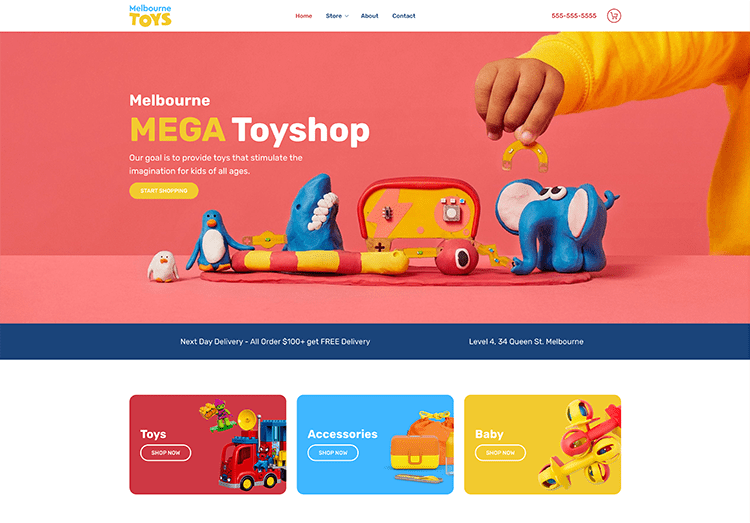
Use the structure of a ready-made design, then change the words, imagery and layout to suit your business. Build a website that feels considered from the first screen.
Find a starting designYour visitors arrive in different ways. Build with a responsive design and review the experience across desktop, tablet and mobile before you publish.
A beautiful page works harder when the journey is clear. Give people what they need to understand your business, trust the offer and act.
Choose the tools for your websiteGive each service or product a clear description, helpful imagery and a place in the page navigation.
Add the relevant contact form, map or social connection so visitors can find the next action.
For an online shop, compare the ecommerce plans and product allowances before building your catalogue.
A few deliberate checks make it easier to publish with confidence. Keep the first release focused, useful and unmistakably yours.
Plan your main pages and navigation. Put the information customers look for within easy reach.
Add your own words and images. Check the headlines, links and contact details across the site.
Preview the website, review the mobile experience and publish when the content is ready.
Explore how Site Builder works and find the right approach for your website.
Yes. Templates provide the starting structure. You can replace the content and customize the layout elements in the editor to suit your business.
A block is a section made from individual features. Features include items such as text, images, buttons, forms and maps. You can work on the whole section or the individual element you want to change.
Yes. Page Management lets you organize the website structure, including page order, subpages and the homepage. It also provides controls for page names, links and visibility.
The editor includes form elements you can add to your pages. Use a clear set of fields for the information you actually need, and check the form settings before publishing.
Yes. The feature library includes maps and social elements alongside content such as headings, text, images and buttons. Choose the elements that help visitors understand or contact your business.
Ecommerce plans provide store features. Compare the product allowances and included tools in the pricing table before choosing the right plan for your catalogue.
The plan cards highlight the main differences, while shared features appear together below them. The comparison table lists the remaining details so you can compare each available plan side by side.
Site Builder offers responsive designs. Preview your finished pages and check the readability, images, forms and buttons on smaller screens before publishing.
Yes. Return to the editor when you need to update the content or layout, then publish the revised version when it is ready.
Yes. Use the design gallery on this page to open the available template previews. The filters let you explore single-page, multi-page and ecommerce designs.
Start with the number of pages you need and whether you intend to sell products online. Then compare the available plans and features. Nabtech can help if you need a second opinion before ordering.
No matching questions.
Choose a starting point, make it your own and give your next chapter a home on the web.
Powered by WHMCompleteSolution